
⚡ THE ESSENTIALS IN 20 SECONDS
- Shelf Intelligent Media (SIM) is the Profitero module that uses shelf data to optimize media spend.
- It uses signals such as out-of-stocks and prices (yours and competitors’) to adjust bids.
- It works via Pacvue, via Skai and in a programmatic version with DSPs and PMPs.
- The uplift figures Profitero publishes are its own: always validate with a controlled test.
IN THIS ARTICLE
Earlier in this series we saw how the shelf (out-of-stocks, price, search, content and reviews) explains a lot of what happens to your campaigns. The logical next step is to stop reacting by hand and connect those signals directly to your bids. That is what Shelf Intelligent Media, the media module of Profitero, sets out to do.
What Shelf Intelligent Media is
Shelf Intelligent Media (SIM): a Profitero module that uses daily digital shelf signals, such as out-of-stocks and your own or competitor prices, to optimize Retail Media and programmatic bids through platforms such as Pacvue, Skai or DSPs.
According to Profitero’s official site, SIM comes in three variants: SIM Programmatic (with DSPs and PMPs), SIM Search via Skai and SIM Search via Pacvue. Profitero publishes figures such as more than 10,000 daily bid optimizations, CPCs 20 to 55 percent lower and ROAS 15 to 50 percent higher. These are the company’s own numbers: useful as a reference, but every account is different.
How it works
Own out-of-stock, competitor out-of-stock or price change.
If X happens to the SKU or keyword, adjust bid Y.
The instruction reaches Pacvue, Skai or the DSP.
CPC, ROAS and sales are compared with the baseline.
The idea is not new: good media teams have always checked inventory and price before touching bids. What is new is doing it every day, across many SKUs and retailers at once, without relying on someone opening three different tools. If you already use rules in your campaigns, this is the next level of automation.
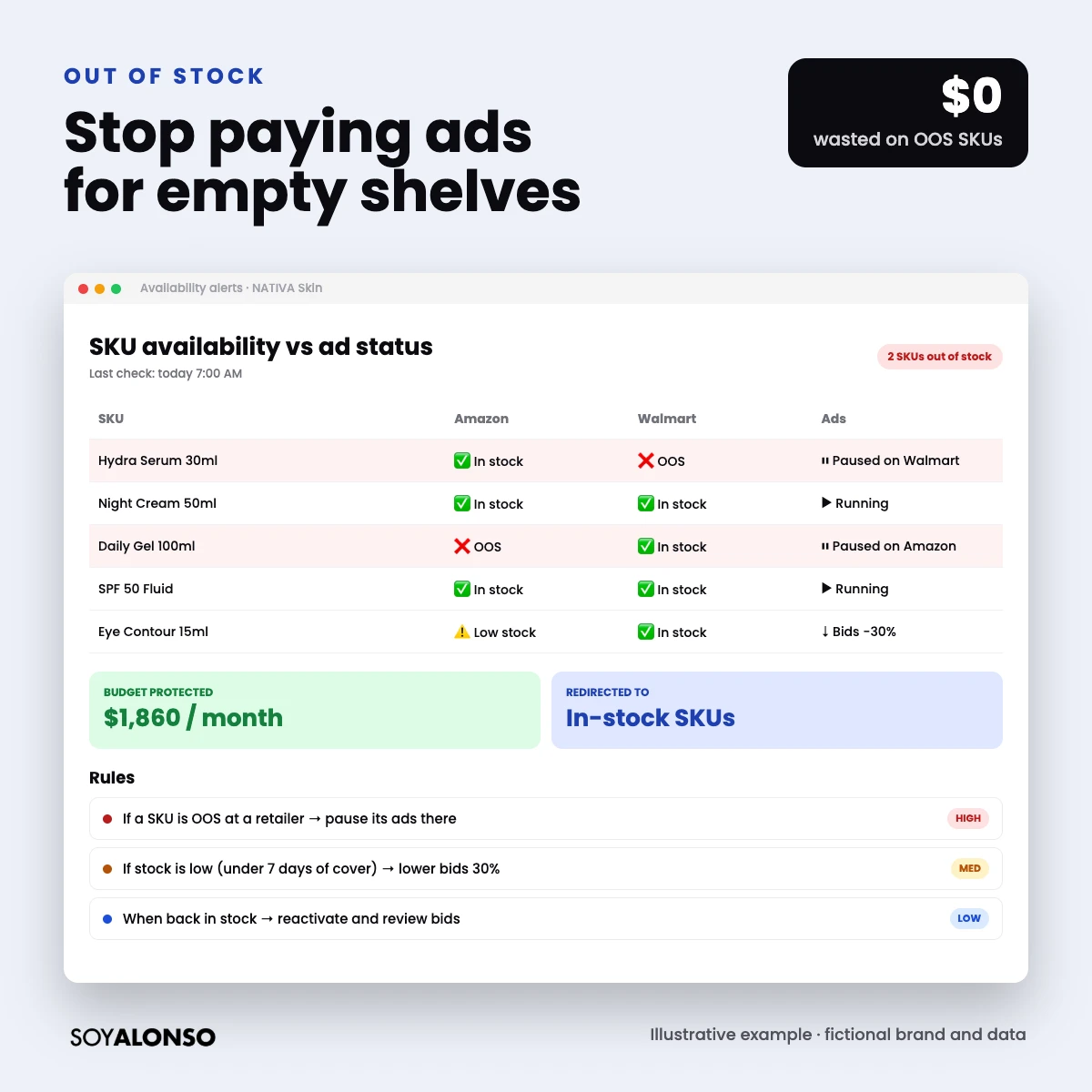
The 5 rules I would test first
| Signal | Adjustment | Logic |
|---|---|---|
| My SKU goes out of stock | Pause or lower bid | Do not pay for clicks that cannot convert |
| Low stock | Lower bid 20 to 30 percent | Stretch inventory |
| Competitor out of stock | Raise bid on their keywords | Capture demand left without an option |
| Competitor drops price | Lower bid on comparison keywords | Avoid paying a lot where you lose the comparison |
| I lose the Buy Box | Pause the SKU | The sale goes to another seller |
How to measure whether it works
- Define a baseline of 4 to 8 weeks before turning on the rules.
- If you can, keep a group of SKUs or a region without rules as a control.
- Measure CPC, ROAS, total sales (not only attributed) and spend on out-of-stock SKUs.
- Check that the rules do not “fight” with your bidding platform’s own rules.
- Decide after a full quarter, not after one good week.
When it does not make sense
- If you rarely have out-of-stocks or price wars: the rule would hardly ever fire.
- If you spend little: the savings do not justify the complexity.
- If nobody will review the rules: unsupervised automation degrades over time.
How to pitch it to a client or leadership
When I propose automating with shelf signals, I do not talk about the tool: I talk about the problem. First I show how much was spent last quarter on SKUs without stock or without the Buy Box. Then I propose an 8 to 12-week test with a single rule, a control group and three agreed metrics. At the end I present the result on one slide: protected spend, change in CPC and change in total sales. With that format the decision to scale is much easier, because nobody is buying a promise, they are buying a measured result. It also builds trust between the media team and finance for the next test.
Agency secrets about automation
What I learned automating bids:
The out-of-stock rule is the easiest to explain and measure. Once it works, add the next one.
What it does, why it exists and who approved it. In six months nobody will remember.
Two contradicting rules (one raises, one lowers) can make a bid swing all day.
Automation does not replace strategy: it executes it faster. If the strategy is bad, it just makes it bad faster.
I’m Alonso Jiménez, a Retail Media account director. I manage campaigns on Amazon, Walmart, Target, Instacart and Mercado Libre every day, for brands in the US, Mexico and Latin America. Before automating, make sure your budget control is solid: read Amazon Ads pacing.
Frequently asked questions
What is Shelf Intelligent Media?
The Profitero module that uses digital shelf signals to optimize Retail Media and programmatic bids through Pacvue, Skai or DSPs.
Does it work with any ad platform?
According to Profitero, it has variants via Pacvue, via Skai and a programmatic version with DSPs and PMPs. Ask about your specific platform.
Are the ROAS improvements guaranteed?
No. The published figures are the company’s own. Validate with a controlled test on your account.
Can I do something similar without Profitero?
Yes, manually or semi-automatically by crossing inventory and price reports with rules in your bidding platform. It takes more work, but it works.